Motherboard
- Supported CPU: 14th/13th/12th Gen Intel Processors (LGA1700)
- Supported RAM: 4x DDR4, Max 128GB 5333(OC)
- Graphics Output: 1x HDMI, 1x DisplayPort
- Features: Realtek 2.5GbE LAN chip, Intel Wi-Fi 6E AX211
- Supported CPU: 14th/13th/12th Gen Intel Processors (LGA1700)
- Supported RAM: 2x DDR5, Max 96GB 8000(O.C.)
- Graphics Output: 1x HDMI, 1x D-Sub
- Features: 2.5GbE LAN
- Supported CPU: 14th/13th/12th Gen Intel Processors (LGA1700)
- Supported RAM: 4x DDR5, Max 192GB 7600(O.C.)
- Graphics Output: 1x HDMI, 2x DisplayPort, 1 x D-Sub
- Features: Realtek 2.5GbE LAN chip
- Supported CPU: 14th/13th/12th Gen Intel Processors (LGA1700)
- Supported RAM: 4x DDR5, Max 192GB 7600(OC)
- Graphics Output: 1x HDMI, 2x DisplayPort
- Features: 2.5GbE LAN & Wi-Fi 6E 802.11ax
- Supported CPU: 14th/13th/12th Gen Intel Processors (LGA1700)
- Supported RAM: 4x DDR5, Max 192GB 7600(OC)
- Graphics Output: 1x HDMI, 1x DisplayPort
- Features: Realtek 2.5GbE LAN chip
- Supported CPU: 14th/13th/12th Gen Intel Processors (LGA1700)
- Supported RAM: 4x DDR5, Max 192GB 7600(OC)
- Graphics Output: 1x HDMI, 1x DisplayPort
- Features: 2.5GbE LAN & Wi-Fi 6E 802.11ax
- Supported CPU: 14th/13th/12th Gen Intel Processors (LGA1700)
- Supported RAM: 4x DDR5, Max 192GB 7600(OC)
- Graphics Output: 1x HDMI, 1x DisplayPort
- Features: Realtek 2.5GbE LAN chip (2.5 Gbps/1 Gbps/100 Mbps)
- CPU: LGA1700 socket
- Chipset: Intel B760 Express Chipset
- Memory: Support for DDR5
- LAN: Intel 2.5GbE LAN chip
- Supported CPU: 14th Gen, 13th Gen & 12th Gen Processors (LGA1700)
- Supported RAM: 4 x DDR5 DIMMs, up to 7600(O.C.)
- Graphics Output: 1 x HDMI, 1 x DisplayPort
- Features: 2.5GbE LAN
- CPU: LGA1700 socket
- Chipset: Intel Z790 Express Chipset
- Memory: 14th and 13th Gen
- Audio: Realtek
- Supported CPU: 14th Gen, 13th Gen & 12th Gen Processors (LGA1700)
- Supported RAM: 4 x DDR5 DIMMs, up to 7600(O.C.)
- Graphics Output: 1 x HDMI, 1 x DisplayPort
- Features: 2.5GbE LAN & Wi-Fi 6E 802.11ax
- Supported CPU: 14th Gen, 13th Gen & 12th Gen Processors (LGA1700)
- Supported RAM: 4 x DDR5 DIMMs, up to 7600(O.C.)
- Graphics Output: 1 x HDMI, 1 x DisplayPort
- Features: 2.5GbE LAN & Wi-Fi 6E 802.11ax
- Intel® Socket LGA 1700: Support 13th and 12th Gen Series Processors
- Unparalleled Performance: Twin 16*+1+2 Phases Digital VRM Solution
- Dual Channel DDR4: 4*DIMMs with XMP Memory Module Support
- Next Generation Storage: 4*PCIe 4.0 x4 M.2 Connectors
- Supported CPU: 14th Gen, 13th Gen & 12th Gen Processors (LGA1700)
- Supported RAM: 4 x DDR5 DIMMs, up to 7600(O.C.)
- Graphics Output: 1 x HDMI, 1 x DisplayPort
- Features: 2.5GbE LAN & Wi-Fi 6E 802.11ax
- Supported CPU: 13th Gen & 12th Gen Processors
- Supported RAM: 4 x DDR5 DIMMs, Up To 192 GB
- Graphics Output: 1 x HDMI, 1 x DisplayPort
- Features: 2.5GbE LAN & Intel Wi-Fi 6E AX211
- Supported CPU: 14th Gen, 13th Gen & 12th Gen Processors (LGA1700)
- Supported RAM: 4 x DDR5 DIMMs, up to 8266(O.C.)
- Graphics Output: 1 x HDMI, 1 x DisplayPort
- Features: Intel 2.5GbE LAN chip, Intel Wi-Fi 7
- Supported CPU: 14th 13th Gen & 12th Gen Processors (LGA1700)
- Supported RAM: 4 x DDR5 DIMMs, up to 8266(O.C)
- Graphics Output: 1 x DisplayPort
- Features: Marvell AQtion 10GbE LAN & Intel Wi-Fi 7
- Features: 1 x M.2 Slot, Realtek GbE LAN chip
- Graphics Output: 1 x HDMI, 1 x DVI-D
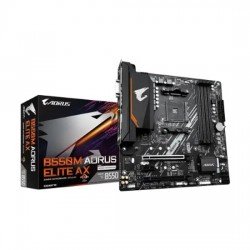
- Supported RAM: 4 x DIMM, DDR4 4733(OC) MHz
- Supported CPU: AMD Socket AM4
- Ultra Durable PCIe 4.0 x16 Slot
- Q-Flash Plus Update BIOS
- Blazing Fast 2.5GbE LAN
- Chipset: AMD B550
Mastering Motherboard Selection: A Smart Buyer’s Roadmap for 2026
Choosing the foundation of your system requires a shift from looking at simple specs to understanding the synergy of the entire build. As we enter 2026, finding a low price motherboard in bd that doesn't compromise on stability is the ultimate goal for savvy builders. This roadmap moves away from the cheapest is best mindset, instead focusing on "Mastering" the balance between socket longevity and power delivery. Whether you are building an office workstation or a gaming rig, selecting a board with robust VRMs ensures your components run at peak efficiency without overheating. A smart buyer identifies hidden value in entry-level chipsets that offer modern features like NVMe support and high-speed memory slots. By mastering this selection process, you ensure that your investment remains relevant as software demands grow. Instead of just buying a part, you are securing a reliable backbone for your digital life. Ultimately, this roadmap serves as your definitive guide to achieving high-end stability on a realistic budget.
Analyzing the Value: Is It the Right Time to Get a Motherboard?
-
Chipset Market Stability: Following recent tech cycles, motherboard prices in Bangladesh have reached a plateau, offering a stable entry point for budget-conscious builders.
-
Transition to New Standards: With DDR5 and PCIe 5.0 becoming more common, older but capable DDR4 motherboards are now available at significant discounts.
-
Longevity of Current Sockets: Both Intel and AMD have committed to socket support for several years, making a purchase today a safe long-term investment.
-
Abundant Brand Competition: Increased availability of brands like Gigabyte, MSI, and ASUS in the local market drives competitive pricing for the consumer.
-
Refined Entry-Level Features: Modern budget boards now include features that were previously exclusive to high-end models, such as heat sinks and BIOS flashback.
Future-Proofing Your Purchase: What to Look For
To ensure your system stays relevant, prioritize motherboards that offer at least two M.2 slots and support for higher frequency RAM. Future-proofing in 2026 means looking for boards with updated BIOS support for next-gen processors and sufficient PCIe lanes for faster storage. Choosing a board with a solid warranty and a reputable VRM design will prevent early system failures and allow for future CPU upgrades.
Understanding Depreciation and Long-Term Value
In the hardware world, a motherboard's value is preserved through its build quality and environmental protection features. Boards with "Ultra Durable" or "Military Grade" certifications tend to resist humidity and voltage spikes, which are common issues in Bangladesh. By avoiding the absolute lowest-tier generic boards, you minimize depreciation and maintain a higher resale value. A well-maintained, branded motherboard will serve you for years, ensuring your initial investment pays off through consistent uptime.
The Core Essentials: Features That Define a Great Motherboard
-
Robust Power Delivery (VRM): A great motherboard uses high-quality capacitors and chokes to provide stable voltage to the CPU, ensuring system longevity.
-
Comprehensive Cooling Solutions: Look for boards with dedicated heatsinks on the MOSFETs and M.2 slots to prevent thermal throttling during heavy workloads.
-
High-Speed Connectivity: Essential features include USB 3.2 Gen 2 ports and high-speed LAN for rapid data transfer and lag-free networking.
-
Quality Audio Capacitors: Built-in audio shielding and premium capacitors provide a clearer sound experience for both gaming and professional media consumption.
-
User-Friendly BIOS: An intuitive UEFI interface makes it easy to manage hardware settings, overclocking, and system monitoring even for beginners.
Processing Power and Interface Efficiency
The motherboard acts as the central nervous system, dictating how efficiently your processor communicates with other components. A high-quality interface ensures that data travels through PCIe lanes without bottlenecks, maximizing your GPU and SSD performance. Efficient circuit design reduces latency, providing a more responsive experience during multitasking and heavy data processing.
Build Ergonomics and User Comfort
Ergonomics in motherboard design refers to the layout of headers and ports, ensuring easy installation and cable management. Strategically placed fan headers and front-panel connectors make the building process comfortable and help maintain a clean interior. Additionally, features like pre-installed I/O shields and reinforced PCIe slots protect your hardware and make maintenance a hassle-free experience.
Why Index IT is the Preferred Hub for Motherboard Enthusiasts?
-
Expertly Curated Inventory: At Index IT, we provide a hand-picked selection of motherboards that guarantee the best compatibility with your Processor and RAM.
-
Tested Synergy: We ensure that our boards work seamlessly with high-performance Graphics Cards and various Storage Devices for a balanced system.
-
Authorized Local Warranty: Our partnership with global brands ensures you get genuine products with a reliable Gaming Casing and internal component support.
-
Technical Consultation: Our team helps you optimize your Gaming Motherboard settings, ensuring you get the most out of your hardware from day one.
-
Competitive Market Rates: We analyze the local economy to provide the most attractive low price motherboard in bd without sacrificing quality or support.
Strategic Pricing: Motherboard Value Analysis at Index IT
|
Model |
Socket / CPU Support |
RAM Type & Capacity |
Key Features |
Price |
|---|---|---|---|---|
|
AMD AM5 (Ryzen 9000/8000/7000) |
4x DDR5, up to 256GB, 8200(OC) |
2x M.2, Realtek 2.5GbE LAN, WiFi 6E (RTL8852CE) |
29,900৳ |
|
|
AMD AM5 (Ryzen 9000/8000/7000) |
4x DDR5, up to 256GB, 8200(OC) |
2x M.2, Realtek 2.5GbE LAN, WiFi 6E (RTL8852CE) |
32,000৳ |
|
|
Intel 9th/8th Gen (LGA1151) |
2x DDR4, up to 32GB |
CEC 2019 Ready |
10,000৳ |
|
|
Intel 14th/13th/12th Gen (LGA1700) |
2x DDR5, up to 64GB @4800(OC) |
Realtek GbE LAN |
12,910৳ |
|
|
Intel 14th/13th/12th Gen (LGA1700) |
2x DDR5, up to 64GB @5600 |
Realtek GbE LAN |
13,240৳ |
|
|
Intel 14th/13th/12th Gen (LGA1700) |
4x DDR5, up to 8266(OC) |
Marvell 10GbE LAN, Intel Wi-Fi 7 |
88,750৳ |
Maximizing ROI: How to Get the Best Results from Your Motherboard
-
Prioritize VRM Quality: A board with better power phases will last longer and support more powerful CPUs in the future, increasing your long-term ROI.
-
Keep BIOS Updated: Regular BIOS updates from the manufacturer can improve system stability and compatibility with newer hardware at no extra cost.
-
Maintain Clean Airflow: Keeping your motherboard free from dust prevents static buildup and overheating, significantly extending the life of the product.
-
Check Expansion Potential: Investing in a board with extra RAM and M.2 slots means you won't have to replace the whole motherboard when you need more storage or memory.
-
Use Surge Protectors: In Bangladesh, protecting your motherboard from voltage fluctuations with a good UPS or stabilizer is the best way to safeguard your investment.
Expert Insights: FAQ and Common Doubts About Motherboards
Does a more expensive motherboard increase gaming FPS?
Not directly. However, a better motherboard allows your CPU and RAM to run at their maximum rated speeds without throttling, ensuring you get the full performance of your components.
Can I use a DDR4 motherboard with DDR5 RAM?
No, DDR4 and DDR5 slots are physically different. You must choose a motherboard that matches the specific RAM type you intend to use.
Why should I choose a branded motherboard over a generic one?
Branded boards offer better circuit protection, higher quality components, and long-term software support/BIOS updates which are crucial for system security and stability.
Is built-in WiFi on a motherboard worth it?
Yes, for most users, built-in WiFi and Bluetooth are more stable and convenient than using external USB dongles, especially for a clean desktop setup.
Does motherboard size (ATX vs Micro-ATX) affect performance?
Size generally relates to the number of expansion slots and ports. Performance is usually identical across sizes within the same chipset family, though ATX boards often have better cooling potential.
Latest Motherboard Price List in Bangladesh 2026