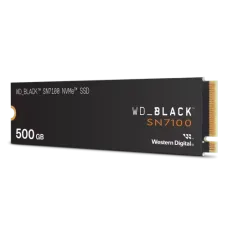
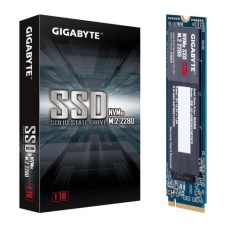
Fast SSD for Quick Boot, Smooth Gaming and Reliable Storage
Is your PC still slow to boot, even with a good processor? The problem is often your old hard drive. At Index IT, we track the SSD price in Bangladesh every day. We help you get real speed without wasting your budget. On this page, you will learn which SSD fits your PC and why.
Latest SSD Price in Bangladesh by Capacity
SSD prices here depend on capacity, interface and brand. The US dollar rate also moves them. So we update our latest price and in stock list often.
Capacity is the first thing to decide. More space costs more. But the price per GB drops as size goes up.
Entry Level: 128GB and 256GB
These drives suit office PCs and older laptops. They hold Windows and your daily apps. That's it.
Many buyers first check the 256GB SSD price in BD for a quick upgrade.
It is a smart start for a tight budget. Boot time drops from minutes to seconds.
Sweet Spot: 512GB
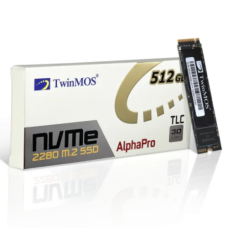
We see most of our buyers pick 512GB. It fits Windows, work software and a few games. The value is hard to beat.
Compare the 512GB SSD price with 256GB before you decide.
The gap is often small. The extra space saves you a second upgrade later.
Performance Tier: 1TB NVMe
Gamers and creators need more room. Modern games take 100GB or more each. Video projects grow fast too.
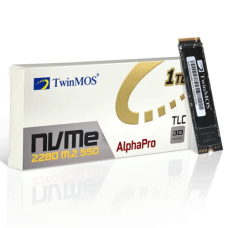
That is why the 1TB NVMe SSD price in Bangladesh is our most searched range.
It gives you fast load time and space for a big game library.
Heavy Storage: 2TB and Above
Editors and heavy gamers should look here. A 2TB drive holds raw footage and full game libraries. You will stop deleting files.
Check our 2TB SSD price list for NVMe and SATA options.
Big NVMe drives also keep speed high as they fill up.
Laptop Upgrade Picks
Laptops need the right form factor. Most new models use M.2 2280. Some thin ones use 2230 or 2242.
Our laptop SSD price range covers every common size.
Check your laptop model first. We can help you confirm it.
Planning a new machine instead? See our latest laptop price in Bangladesh list.
Budget Buyers
Tight budget? No problem. A DRAM-less SATA or Gen 3 NVMe drive still beats any hard drive.
We list the cheapest SSD in BD that still gives a real warranty.
We never stock unbranded drives with fake capacity. Every unit is authentic.
Types of SSD You Can Buy Today
Not every SSD fits every PC. The interface and form factor decide compatibility. Let's break it down.
2.5-inch SATA SSD
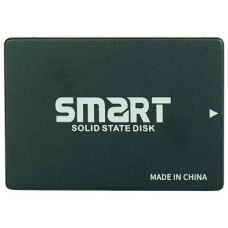
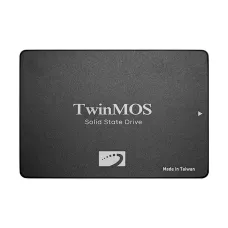
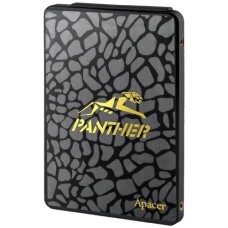
This drive looks like a small laptop hard drive. It uses a SATA cable and power connector. Read speed tops out near 550 MB/s.
- Fits almost any desktop or older laptop
- Best for a cheap storage upgrade
- Low heat, low power use
M.2 SATA SSD
It is a small stick, but it still uses SATA speed. Many older laptops use this type. Check your slot. Some M.2 slots support only NVMe.
M.2 NVMe SSD
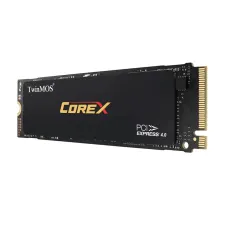
NVMe runs on PCIe lanes. It is far faster than SATA. This is the standard for new PCs.
- Gen 3: up to about 3,500 MB/s read speed
- Gen 4: up to about 7,400 MB/s read speed
- Gen 5: above 10,000 MB/s for top boards
A Gen 4 SSD is the best value for gamers today.
It costs a little more than Gen 3 and gives about twice the speed. Gen 4 drives also run in Gen 3 slots, just at lower speed.
External and Portable SSD
Need speed on the move? Portable SSDs connect over USB-C. They suit creators who move files between devices. They are rugged and pocket-sized.
Browse our portable SSD price in Bangladesh range for USB-C models.
SATA vs NVMe: Which One Fits You?
Both types are much faster than a hard drive. But they serve different buyers. Your motherboard and budget decide the winner.
| Feature |
SATA SSD |
NVMe SSD |
| Max read speed |
~550 MB/s |
3,500–12,000+ MB/s |
| Interface |
SATA III |
PCIe Gen 3/4/5 |
| Form factor |
2.5-inch or M.2 |
M.2 2280 mostly |
| Best for |
Old PCs, budget builds |
Gaming, editing, new PCs |
For daily use, you may not notice a big gap. Windows boots fast on both. The gap shows in big file transfers and game loading.
Our advice is simple. If your board has an M.2 NVMe slot, use it. If not, a SATA SSD still transforms an old PC.
How to Pick the Right SSD
Speed on the box is not the full story. We test and sell drives every day, so we know what matters. Check these points before you buy.
Check Compatibility First
Open your motherboard or laptop manual. Look for the M.2 slot type. It should say "M-key" and "PCIe" or "NVMe."
- Check the supported length, like 2280 or 2242
- Confirm the PCIe generation of the slot
- See if the M.2 slot disables any SATA ports
Not sure? Send us your model. We will check it for free.
Read Speed vs Write Speed
Read speed affects boot time and game load time. Write speed matters for copying and exporting files. Creators should watch sustained write speed, not just peak numbers.
Many budget drives slow down after the cache fills. That happens during long file copies. Good drives hold speed longer.
DRAM vs DRAM-less
DRAM cache helps the drive find data faster. It keeps performance steady under heavy load. DRAM-less drives cost less but can slow down.
For gaming and office use, DRAM-less NVMe is fine. For heavy editing, pick a drive with DRAM.
NAND Type: TLC vs QLC
TLC NAND lasts longer and writes faster. QLC gives more capacity for less money. But QLC wears out sooner.
We suggest TLC for your main system drive. QLC works well for a game library.
Endurance, TBW and Warranty
TBW means terabytes written. It shows the drive's durability over its life. A 1TB drive often rates 600 TBW or more.
Most normal users never hit that limit. Still, higher TBW means better endurance. Pair it with a strong official warranty, usually 3 to 5 years.
Heat and Heatsinks
Fast Gen 4 and Gen 5 drives get hot. Too much heat slows them down. This is called thermal throttling.
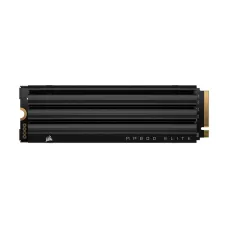
An SSD with heatsink keeps temperatures under control.
Many motherboards include an M.2 cover. If yours does not, choose a drive with one built in.
Best SSD for Gaming, PS5 and Creators
Each user has different needs. Here is how we match drives to real use.
For PC Gamers
A gaming SSD should load big open-world maps fast.
We suggest a 1TB or 2TB Gen 4 NVMe drive. DirectStorage games load even faster on NVMe. Texture pop-in drops too.
Pair it with a strong gaming graphics card in Bangladesh for smooth frame rates.
For PC Builders
Building a new rig? Put the OS on a fast NVMe drive. Add a second SSD or HDD for bulk files.
Need more parts? Check our full PC components price in Bangladesh list.
Our pick for the best SSD for PC builds is a TLC Gen 4 drive with DRAM.
It gives you speed today and room for future upgrades.
Match it with fast desktop RAM for gaming PC builds to avoid bottlenecks.
For PS5 Owners
Sony requires a PCIe Gen 4 M.2 drive. It must reach at least 5,500 MB/s read speed. A heatsink is strongly advised.
Our SSD for PS5 options meet all of Sony's rules.
Installation takes about ten minutes. Games run straight from the new drive.
For Content Creators
Video editors need steady write speed. Large 4K timelines punish slow drives. Choose TLC NAND with DRAM cache.
- Use one drive for OS and apps
- Use another fast drive for active projects
- Back up to HDD or cloud storage
Top SSD Brands We Stock
We stock only authentic, official products. Each brand has its own strengths. Here is a quick guide.
Samsung
Samsung makes its own NAND, controller and DRAM. That control gives top reliability. The 870 EVO and 990 series are fan favorites.
Many buyers compare the Samsung SSD price in BD first.
They pay a little more for long-term trust.
Kingston
Kingston offers strong value across all budgets. The A400 SATA and NV series NVMe drives sell fast. They suit office PCs and budget gaming builds.
Check the Kingston SSD price in BD for affordable upgrades.
Western Digital
WD Blue and WD Black drives cover every need. The Black series targets gamers with high speed. Their software tools are simple to use.
The WD SSD price in BD is fair for Gen 4 performance.
Lexar, Team Group and Transcend
These brands give great price-to-performance. Lexar NM series drives are popular with builders. Team Group offers gaming drives with heatsinks. Transcend is known for durable, stable storage.
SSD vs HDD: Is the Upgrade Worth It?
Yes, and the gap is huge. A hard drive has a spinning disk and a moving arm. An SSD has no moving parts at all.
Many buyers still ask about SSD vs HDD before they upgrade.
Here is what changes the day you switch:
- Boot time drops from about a minute to under 15 seconds
- Apps and games open almost instantly
- The PC runs quieter and cooler
- Less risk of damage from drops or bumps
HDDs still have one job. They store huge files cheaply. We suggest an SSD for your system and an HDD for backups. That combo gives you speed and space on a budget.
For backups, see our portable hard disk price in Bangladesh options.
An SSD also uses less power. Laptop battery life often improves after the swap. It's a small bonus, but a real one.
Where to Get Genuine SSD in Bangladesh?
Fake and refurbished SSDs are a real problem in our market. Some show 1TB but hold far less. Others fail within months. We have seen many of these come in for checks.
At Index IT, we sell only authentic, official stock. Every drive comes with a valid brand warranty. We check serial numbers before delivery.
Here is why buyers trust us:
- Official warranty on every SSD
- Genuine products from authorized sources
- Free compatibility check before you order
- Fast delivery across Bangladesh
- Friendly support after your purchase
Still unsure which drive fits? Send us your PC or laptop model. Our team will suggest the right interface, form factor and capacity. No guesswork. No wasted money.
We update our latest price and in-stock list often. So you always see what is ready to ship. Order online and get your storage upgrade fast.
Frequently Asked Questions
What is the SSD price in Bangladesh?
SSD prices in Bangladesh depend on capacity, interface and brand. SATA drives cost the least. Gen 4 NVMe costs more. Check Index IT for the latest price and stock.
Where can I buy an SSD in Bangladesh?
You can buy authentic SSDs from Index IT online. We offer official warranty, genuine stock and fast delivery across Bangladesh. We also check compatibility for free before you order.
What makes an NVMe SSD ideal for gamers?
NVMe SSDs cut game load time sharply. Gen 4 drives read up to 7,400 MB/s. That means faster map loading, less texture pop-in and better DirectStorage support in new games.
Is NVMe better than a SATA SSD?
Yes, NVMe is much faster than SATA. NVMe reaches thousands of MB/s. SATA stops near 550 MB/s. But SATA still works well for older PCs without an M.2 NVMe slot.
Will a Gen 4 SSD work in a Gen 3 slot?
Yes, a Gen 4 SSD works in a Gen 3 slot. It will run at Gen 3 speed. You can move it to a Gen 4 board later for full performance.
How do I know if my laptop supports NVMe?
Check your laptop manual or the specs page for "M.2 PCIe NVMe." Look at the slot length too, like 2280. You can also send us your model for a free check.
Does an SSD need a heatsink?
Gen 4 and Gen 5 SSDs benefit from a heatsink. It stops thermal throttling during long loads. SATA and Gen 3 drives usually run cool without one.
Which SSD works with the PS5?
The PS5 needs a PCIe Gen 4 M.2 NVMe SSD. It should read at 5,500 MB/s or faster. Sony strongly suggests a heatsink. Sizes from 250GB to 8TB are supported.
Does an SSD use more power than an HDD?
No, an SSD uses less power than an HDD. It has no spinning parts. Laptops often gain better battery life, and desktops run slightly cooler and quieter.
How long does an SSD last?
A good SSD lasts five to ten years for most users. Its endurance is shown as TBW. Normal gaming and office use rarely reaches that limit before the warranty ends.
Is 512GB enough for gaming?
A 512GB SSD fits Windows and a few big games. Many modern titles need 100GB or more. For a large game library, we suggest 1TB or 2TB.