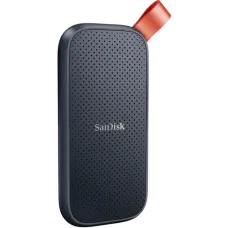
Portable SSD Price in BD
Tired of waiting for big files to copy? A portable SSD moves them in seconds, not minutes.
This page covers portable SSD price in BD with a buying guide. We explain speed, capacity, brands and care. Then you pick the right drive.
What Is a Portable SSD?
A portable SSD is a small solid-state drive in a case. It connects by USB and needs no separate power.
It has no moving parts. That makes it faster, quieter and tougher than a portable hard disk.
- Very fast file transfers
- Small and light, often pocket-sized
- Handles drops and bumps better than HDDs
- Works with laptops, desktops, Macs and many phones
Key Takeaways
- Real speed depends on your USB port and cable.
- USB 3.2 Gen 2 drives suit most users.
- 1TB is the sweet spot for most buyers.
- Rugged models add water and dust resistance.
- Buy genuine brands. Fake SSDs are common.
Portable SSD Speed Classes
The USB standard decides the top speed. Match the drive to your port.
| USB Standard |
Link Speed |
Rough Real-World Speed |
Best For |
| USB 3.2 Gen 1 |
5 Gbps |
Around 400 to 450 MB/s |
Basic backups and file transfer |
| USB 3.2 Gen 2 |
10 Gbps |
Around 900 to 1,000 MB/s |
Most users and creators |
| USB 3.2 Gen 2x2 |
20 Gbps |
Around 1,800 to 2,000 MB/s |
Video editors with matching ports |
| USB4 or Thunderbolt |
40 Gbps |
Around 2,800 to 3,800 MB/s |
Pro editing on supported laptops |
Gen 2x2 and USB4 drives slow down on older ports. Check your laptop's ports before paying for top speed.
Capacity Guide
| Capacity |
Best For |
| 500GB |
Office files, documents, light backups |
| 1TB |
Photos, projects, most home and student use |
| 2TB |
Video work, game libraries, full laptop backups |
| 4TB |
Large video projects and archives |
For most people, 1TB gives the best balance of space and value.
Popular Portable SSD Brands and Series
Several trusted brands sell portable SSDs in Bangladesh. Each offers standard and rugged or pro lines.
| Brand |
Popular Series |
Known For |
| Samsung |
T7, T7 Shield, T9 |
Compact design, strong reliability |
| SanDisk |
Extreme, Extreme Pro |
Rugged builds for travel and creators |
| Crucial |
X9, X10 Pro |
Good speed for the cost |
| Western Digital |
My Passport SSD |
Password protection and backup tools |
| Kingston |
XS1000, XS2000 |
Very small size |
| Transcend |
ESD series |
Wide range of capacities |
| Lexar |
SL series |
Creator-focused models |
| ADATA |
SE and SC series |
Budget-friendly options |
Check the exact model's speed class. Two drives from one brand can differ a lot.
Portable SSD vs Portable HDD
| Point |
Portable SSD |
Portable HDD |
| Speed |
Several times faster |
Around 100 to 140 MB/s |
| Durability |
No moving parts, drop resistant |
Sensitive to drops |
| Size and weight |
Very small and light |
Larger and heavier |
| Noise |
Silent |
Slight hum |
| Cost per TB |
Higher |
Lower |
| Best use |
Daily work, travel, editing |
Large backups and archives |
Need lots of space for backups? Compare our portable HDD price in Bangladesh page.
How to Choose the Right Portable SSD
Most laptops support USB 3.2 Gen 2. Gen 2x2 and USB4 need specific ports.
Buying a faster drive than your port supports wastes money.
Choose Capacity by Use
- Students and office users: 500GB to 1TB
- Photographers and freelancers: 1TB to 2TB
- Video editors: 2TB or more
Rugged or Standard?
Rugged models add rubber shells and IP ratings. They resist drops, dust and splashes.
They suit photographers, travellers and field workers.
Encryption and Security
Some drives support password protection with hardware encryption. This protects files if the drive is lost.
You can also use BitLocker or VeraCrypt on any drive.
Cable and Connector
Most drives use USB-C. Many include a USB-C to USB-A cable too.
Always use the included cable. Cheap cables can cut speed badly.
Who Uses Portable SSDs?
- Video editors: edit footage directly from the drive
- Photographers: back up shoots in the field
- Developers: carry VMs, Docker images and projects
- Students: keep projects safe and portable
- Gamers: store extra games and fast backups
- Phone users: some phones record or back up directly to SSD
Care and Performance Tips
Heat and Throttling
Long transfers heat the drive. Hot drives slow down to protect themselves.
Keep the drive off hot laptop surfaces. Metal-body drives cool better.
Safe Removal
Always eject before unplugging. Sudden removal can corrupt files.
Load-Shedding
A laptop battery keeps the drive powered during power cuts. Desktops need a UPS for safe large transfers.
Keep a Second Backup
Portable drives can be lost or stolen. Keep important files in a second place too.
Watch Out for Fake Portable SSDs
Very cheap unbranded SSDs with huge capacity are often fake. They lose data once real storage fills.
- Avoid unknown brands with unrealistic capacity
- Check the serial number on the brand's website
- Test new drives with a full write and verify tool
Buy known brands with official warranty only.
Common Buying Mistakes
- Paying for Gen 2x2 speed on a Gen 2 port
- Using a cheap cable and getting slow speeds
- Buying fake high-capacity drives
- Choosing 500GB for video work
- Keeping only one copy of important files
Why Buy Your Portable SSD From Us?
We help creators, students and professionals choose the right storage. We match speed and capacity to your ports and work.
- 100% genuine portable SSDs with official warranty
- Advice on USB speed and port compatibility
- Guidance on rugged and encrypted models
- Nationwide delivery across Bangladesh
Final Thoughts: Speed You Can Carry
A portable SSD saves time every day. Match speed to your port. Pick the right capacity and buy genuine.
Tell us your laptop model and work type. We will suggest the right drive.
Frequently Asked Questions
How do I choose a portable SSD in BD?
Check your USB port first, then pick capacity. Choose a rugged model if you travel often.
Which portable SSD speed is best?
USB 3.2 Gen 2 suits most users. Choose Gen 2x2 or USB4 only if your laptop supports it.
Is a portable SSD better than a portable HDD?
It is faster, lighter and tougher. A portable HDD gives more storage for your budget.
What capacity portable SSD should I buy?
1TB suits most users. Video editors should choose 2TB or more.
Why is my portable SSD slow?
The port or cable may limit it. Use a USB 3.2 port and the included cable.
Can I use a portable SSD with a phone?
Many phones with USB-C support portable SSDs. Some can record or back up directly to them.
Are portable SSDs waterproof?
Standard models are not. Rugged models with IP ratings resist water and dust.
Can I run programs or games from a portable SSD?
Yes. Many apps and games run well from a fast portable SSD.
How can I spot a fake portable SSD?
Avoid unknown brands with huge capacity. Verify the serial number on the brand's website.
Does a portable SSD need external power?
No. It takes power from the USB cable.