Your Cart
×


Product Compare0
Printer

Stock: In Stock
Stock: In Stock
- Resolution (dpi): 600 x 600 dpi
- Copy /Print Speed:25 ppm in A4
- Multiple Copies Prints :Up to 9,999 Copies
- Warranty:One-year free service
140,000৳
Ex Tax:140,000৳

Stock: In Stock
Stock: In Stock
- Copy / Print Speed: 43 ppm in A4
- Scan Speed: Up to 70 ppm
- Maximum Original Size: A4 / LGL
- Multiple Copies Prints: Up to 999 Copies
115,000৳
Ex Tax:115,000৳

Stock: In Stock
Stock: In Stock
- Print Speed: Up to 20 ppm (black)
- Up to 10000 Pages pages
- Connectivity: USB
- Spill-free ink refill system
12,500৳
Ex Tax:12,500৳
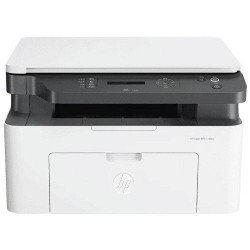
Stock: In Stock
Stock: In Stock
- Print Speed: Up to 20 ppm (black)
- Up to 10000 pages
- Connectivity: USB, Wi-Fi
- Spill-free ink refill system
21,500৳
Ex Tax:21,500৳

Stock: In Stock
Stock: In Stock
18,700৳
Ex Tax:18,700৳

-8 %
Stock: In Stock
Stock: In Stock
- Resolution:5760 Dpi
- MPN: C11CC25301
- Model: LQ310
- Print Speed: 347 / 416 cps
- Connectivity: USB2.0
24,500৳ 26,500৳
Ex Tax:24,500৳

Stock: In Stock
Stock: In Stock
- Print Regulation: 1200 X 1200 DPI
- Interface: USB, LAN
- Print Speed: 40 PPM (Black)
- Supports Duplex Print
30,800৳
Ex Tax:30,800৳

-7 %
Stock: In Stock
Stock: In Stock
- Print speeds up to 17ipm for black and 9.5ipm for color
- Print, Scan, Copy, and Fax with ADF
- Model: L6460
- Auto-Duplex printing
- Connectivity: WiFi, LAN, USB
43,000৳ 46,000৳
Ex Tax:43,000৳

Stock: In Stock
Stock: In Stock
- Functions:Print Only
- Output Color:Color
- Print Speed (Black):1ppm
- Print Speed (Color):1ppm
53,170৳
Ex Tax:53,170৳

-7 %
Stock: In Stock
Stock: In Stock
- Spill-free, error-free refilling, Wi-Fi, Wi-Fi Direct
- Functions: Print, Scan, Copy, Fax
- Ultra-high page yield: 7500pg (black), 6000pg (color)
- Automatic duplex printing
67,000৳ 72,000৳
Ex Tax:67,000৳

-7 %
Stock: In Stock
Stock: In Stock
- Speed: up to 33ppm for black and 15ppm for color
- Resolution: 5760 DPI
- Functions: Print Only
- Connectivity: USB 2.0, Wi-Fi, Wi-Fi Direct
20,500৳ 22,000৳
Ex Tax:20,500৳

-7 %
Stock: In Stock
Stock: In Stock
- Functions: Print, Scan, Copy, Fax
- Print speed of up to 25.0 ipm(Black) / 12.0 ipm(Colour)
- Page Yield: 7,500 for black and 6,000 pages
- Connectivity: USB, LAN, WiFi, Ethernet
143,500৳ 154,000৳
Ex Tax:143,500৳

-5 %
Stock: In Stock
Stock: In Stock
- Functions: Print Only
- Speed: up to 22 ppm for black and 22 ppm for color
- Resolution: 5.760 x 1.440 DPI
- Connectivity: USB 2.0, Wireless LAN IEEE 802.11a/b/g/n, Wi-Fi Direct
80,500৳ 85,000৳
Ex Tax:80,500৳

-5 %
Stock: In Stock
Stock: In Stock
- Print Resolution: 5760 x 1440 dpi
- Print Speed: Up to 22 ppm
- Functions: Print Only
- Duty Cycle: Up to 8,000 Pages ( Monthly )
41,000৳ 43,000৳
Ex Tax:41,000৳
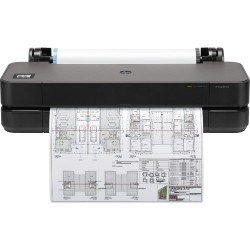
Stock: In Stock
Stock: In Stock
135,000৳
Ex Tax:135,000৳

Stock: In Stock
Stock: In Stock
- Paper Size: Max A1
- Interface: USB, LAN
- Print Speed: Up to 80.5m/hr
- Functions: Print Only
450,000৳
Ex Tax:450,000৳
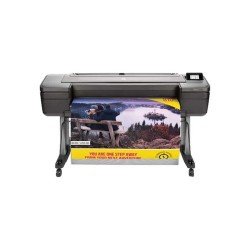
Stock: In Stock
Stock: In Stock
- Paper Size: Max A0
- Print Speed: Up to 80.5m/hr
- Interface: USB, LAN
- Functions: Print Only
690,000৳
Ex Tax:690,000৳

Stock: In Stock
Stock: In Stock
- Print Speed: 26 sec/page
- Print Resolution: 2400 x 1200dpi
- Interface (Built-in) - USB, LAN
- Print From Smartphone, Tablet and PC
590,000৳
Ex Tax:590,000৳

-9 %
Stock: In Stock
Stock: In Stock
- Functions Print scan copy fax
- Print Speed Up to 39 ppm
- Resolution 1200 2400 dpi
- Connectivity USB Ethernet WiFi Wi-Fi Direct
48,500৳ 53,500৳
Ex Tax:48,500৳

-7 %
Stock: In Stock
Stock: In Stock
- Page Yield: 7,500 for black and 6,000 pages colour
- Connectivity: USB, WiFi, Duplex Print: Automatic
- Functions: Print, Scan, Copy, Fax
- Print speed of up to 25.0 ipm (simplex)
161,000৳ 173,000৳
Ex Tax:161,000৳
Best Printer Price in Bangladesh for Home and Office Use
A printer is an essential device for both home and office use, allowing users to produce high-quality prints of documents, photos, and graphics quickly and efficiently. From students needing assignments, offices requiring reports, to creative professionals printing designs, a printer makes daily tasks easier and more productive. Modern printers come in various types, including inkjet, laser, all-in-one, and photo printers, catering to different needs and budgets.
In Bangladesh, printer prices vary depending on the brand, type, and features. Popular brands like Canon, EPSON, HP and ZKTeco offer printers ranging from affordable entry-level models to high-performance professional devices. The price range starts from ৳3,000 for basic inkjet printers to ৳25,000 or more for advanced laser or multifunctional printers. Printers are highly popular in Bangladesh due to increasing demand from educational institutions, offices, and small businesses. With more people working from home and online learning on the rise, having a reliable printer has become a necessity. Its convenience, ability to produce fast and clear prints, and affordability contribute to its widespread adoption. Additionally, multifunction printers that can scan, copy, and fax in addition to printing are gaining traction among users seeking all-in-one solutions. Their compact design, energy efficiency, and long-lasting performance make them ideal for busy environments. Whether you need a printer for personal use or business purposes, choosing the right model ensures productivity, convenience, and cost efficiency. Buy your favorite Printer online from Index IT at the best price.
Top-Rated Printer Brands Available in BD
When it comes to reliable and high-quality printers in Bangladesh, Canon, EPSON, HP, and ZKTeco are the top-rated brands trusted by users. Canon is known for its exceptional print quality and durability, perfect for both home and office use. EPSON offers advanced inkjet technology, producing sharp, vibrant prints while maintaining cost efficiency. HP delivers versatile printers with fast printing speeds and user-friendly features, suitable for professional and personal needs. ZKTeco focuses on specialized printers, including ID card and receipt printers, ensuring precise and efficient output. These brands provide excellent performance, durability, and value, making them popular choices across Bangladesh.
Guide to Different Printers Available in BD
Printers are essential devices for both home and office use, and choosing the right one depends on your printing needs. In Bangladesh, various types of printers are available, each designed to meet different requirements.
Inkjet Printer
There are a lot of good things about inkjet printers. You should think about it if you are looking for a good inkjet printer in Bangladesh. indexit offers you an affordable inkjet printer price in Bangladesh. You can get some of the best inkjet printers in Bangladesh from us. You can get an inkjet printer for a great price because they are the most affordable inkjet printers. Inkjet printers are best for home use and small offices.
Laser Printer
You can buy some of the best laser printers in Bangladesh from indexit. We have some latest laser printers in our collection. A laser printer uses toner rather than ink. If you want to print with high resolution, a laser printer is the best solution. Besides fast printing and book publishing, a ticketing laser printer is ideal. indexit is giving a suitable price for a laser laptop in Bangladesh. Check our Laser Printer catalog to learn more.
Label Printer
If you need to give labels, a label printer serves the purpose. It is suitable for all types of labels. Price labels, medical marking, product marking, packaging marking, asset management, etc.
Pos Printer
The point of sale system’s important part is the pos printer. Pos printers are best for slips and receipts. You can get the best pos printer for your business, shops, and company from our outlet.
Ink tank Printer
Ink tank printers are for bulk print. It can print up to 1000 pages depending on its ink reservoir. The ink tank uses an ink reservoir to supply ink. It is refillable and somewhat cost-effective. indexit offers you some of the best ink tank printers in Bangladesh. We provide a reasonable price for ink tank printers in Bangladesh.
Large format Printer
A large-format printer is also known as a wide-format printer. A large format printer is a computer-controlled printer with a maximum print roll width of 18" to 100". Super-wide printers are over 100" wide.
Important Features of Printer
- Multi-function model: There is no printer that only prints at present. Buying a printer with a scanner makes it much easier to copy documents or create digital documents. You can purchase a multi-function printer for versatile use.
- Connectivity: All types of printers can connect to a computer using a USB / Ethernet port. Models designed for office typically connect via Ethernet. There is no alternative of Wi-Fi to ensure maximum use of the printer. Wi-Fi will help you to easily use the printer so think carefully before buying a printer without Wi-Fi.
- Mobile Printing: Even the most corporate-focused printers have not been able to meet the demand for mobile devices and have some form of mobile printing. Find apps for direct printing that work with Android, iOS and other mobile devices, or print via email (HP's Print and Google's Cloud Print) or third-party technology (Apple's Airprint). Using NFC allows you to pair your mobile device with a printer and instruct you to print using Wi-Fi and apps.
- Paper Handling: Choose a printer that can hold more pages than you need to print daily. A personal printer can typically hold 100 to 150 pages in a single tray. Some printers have dedicated photo trays that reduce paper swapping. A business printer can hold a minimum of 250 pages and advanced model printers can typically hold 500 to 1000 pages. Printers with multiple paper trays are ideal for office use.
- Duplexing: Two-sided printing or duplexing can halve your paper costs. Some printers have manual duplexing. Manual duplexing tells you how to rotate and reload the paper.
- Paper size: A3 size paper cannot be printed with all types of printers. Before buying a printer, you have to decide with which type of paper size you will print A4 or A3.
- Paper Tray: If you are a heavy user, you need a printer with a large tray. It is better to buy printers that are large in size. Otherwise work may be disrupted.
- Memory: Printer memory is a very important issue. It depends on the type of work. If you want to work more with the printer, it will take more memory because all the print commands can be kept in memory.
Advantages Of Using Network Printer
- Copying: In some situations, it is better to make a copy than to throw away the original. With the help of a printer, the task of copying has never been easier.
- Scanning: A scanner and a printer go together because you can put a document into a scanner and print it right away from your computer.
- Documentation preparation: Printers can serve multipurpose these days. It can help you get your paper presentation ready. Some machines let you staple and saddle stitch, so you can make your home office look like a professional place to work.
Indexit the best platform to buy your next Printer
When looking for the best PC Printer in BD, there is always a lack of options. Each product mentioned on the site has its own features for your consideration. Here are some products that are one of indexit's many options:
- Xprinter XP-58IIL Mini Thermal Direct Receipt POS Printer
- Epson EcoTank L8180 Multifunction A3+ InkTank Photo Printer
- G-PRINTER GP-3120TUC BARCODE & RECEIPT PRINTER 80MM
Printer Review:
Printers, an essential office and home device, come in various types and brands. In general, printers provide a convenient way to produce physical copies of digital documents. They can be divided into categories like inkjet, laser, and all-in-one printers, each with its advantages. Inkjet printers are popular for their versatility, capable of producing high-quality color prints and photos. Laser printers, on the other hand, excel at fast and cost-effective monochrome printing, making them suitable for high-volume tasks.All-in-one printers combine printing, scanning, copying, and sometimes faxing functionalities in a single device, providing excellent value for money and saving space.Key factors to consider when evaluating printers include print speed, print quality, connectivity options (like Wi-Fi and mobile printing), and operating costs (including ink or toner expenses).User reviews and professional recommendations can help you find a printer that aligns with your specific needs, whether it's for personal use, small business, or office applications.


FAQs
What is a printer and how does it work?
A printer is a device that converts digital documents, images, or files from your computer or smartphone into physical copies on paper. It works by using ink or toner to transfer text and images onto the page.
Which type of printer is best for home use?
For home use, inkjet printers are usually the best choice because they are affordable, compact, and produce high-quality color prints for school work, photos, and everyday documents.
What is the difference between inkjet and laser printers?
Inkjet printers use liquid ink and are ideal for color printing and photos. Laser printers use toner powder and are faster, more durable, and more cost-effective for heavy black-and-white printing.
How do I choose the right printer for my needs?
To select the right printer, consider factors like printing speed, ink or toner cost, color or mono printing, wireless connectivity, monthly duty cycle, and whether you need extra features like scanning or photocopying.
Latest Printer Price List in Bangladesh 2026
