Menu ×
Your Cart ×

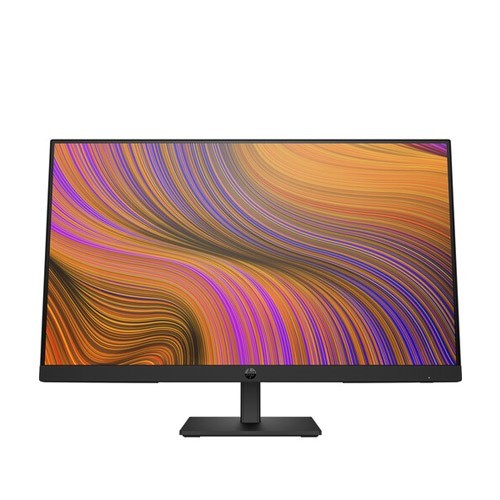
HP P24h G5 23.8 inch FHD Monitor

HP P24h G5 23.8 inch FHD Monitor
Out Of Stock
HP P24h G5 23.8 inch FHD Monitor
  • Stock: Out Of Stock
  • Brand: HP
  • Model: P24h G5

TBA

Out Of Stock

Key Features

    • Resolution: FHD (1920 x 1080)
    • Display: IPS, 75Hz, 5ms
    • Ports: 1x HDMI, 1 x DisplayPort, 1x VGA
    • Features: Anti-glare, Low Blue Light, Flicker Free
Description
Display Features
Display Size23.8-inch
Display TypeLED
Panel TypeIPS
ResolutionFHD (1920 x 1080)
Pixel pitch(MM)0.27 x 0.27 mm
Display SurfaceAnti-glare
Aspect Ratio16:9
Viewing Angle178 Degree
Brightness250 nits
Contrast Ratio1000:1
Refresh Rate75Hz
Color Support6-Bit+FRC (16.7 Million Colors)
Color Gamut72% NTSC
Response Time5 ms (GtG)
Video Features
Flicker FreeYes
Low Blue LightYes
Audio Features
Speaker (Built In)Yes
Speaker Details2x 2 W
Connectivity
VGA1x VGA
Display Port1 x DisplayPort 1.2
HDMI1 x HDMI 1.4
Mechanical Design
Tilt-5 to +23°
Vesa Wall Mount100 mm x 100 mm
Physical Specification
ColorBlack
DimensionDimensions Without Stand (W X D X H)
21.2 x 18.5 x 7.7" / 53.9 x 46.9 x 19.6 cm
Dimensions With Stand (W X D X H)
21.2 x 12.7 x 2" / 53.9 x 32.4 x 5.2 cm
Weight4.6 kg
Power
TypeInternal
Power ConsumptionStandby: 0.5 W
Typical: 18.0 W
Maximum: 28.0 W
Warranty Information
Warranty03 years warranty


HP P24h G5 23.8" FHD Monitor

The HP P24h G5 23.8" Monitor will keep you relaxed while you do routine productivity chores. This reasonably priced Full HD monitor with 1920 x 1080 resolution and a space-conscious design that lets you make the most of your desktop space has a modern, utilitarian design. Simultaneously, the three-sided micro-edge bezel helps you maintain task concentration. You may watch movies and listen to music without taking up space on your desk with external speakers thanks to the integrated 2W stereo speaker system. For best viewing, adjust the tilt of the display. You can also control your screen settings using the HP Display Center and HP Display Manger tools or by using the user-friendly joypad OSD button.

Review

Write a review

Note: HTML is not translated!
Bad Good